


Start with today
See today’s tasks and the days ahead at a glance.
Write. Plan. Do.
AVAILABLE NOW ON iOS AND ANDROID
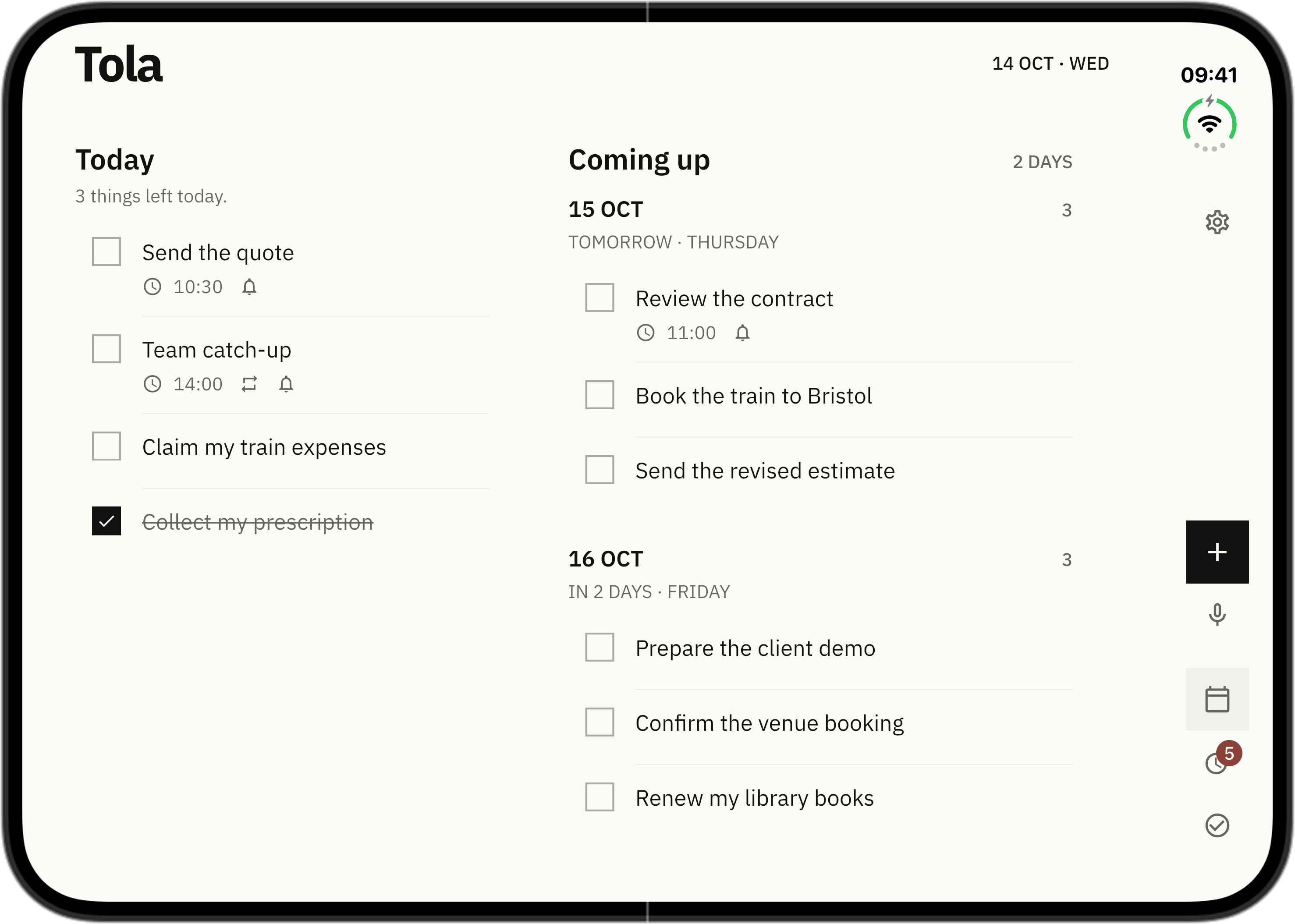
iPhone Duo · Next update preview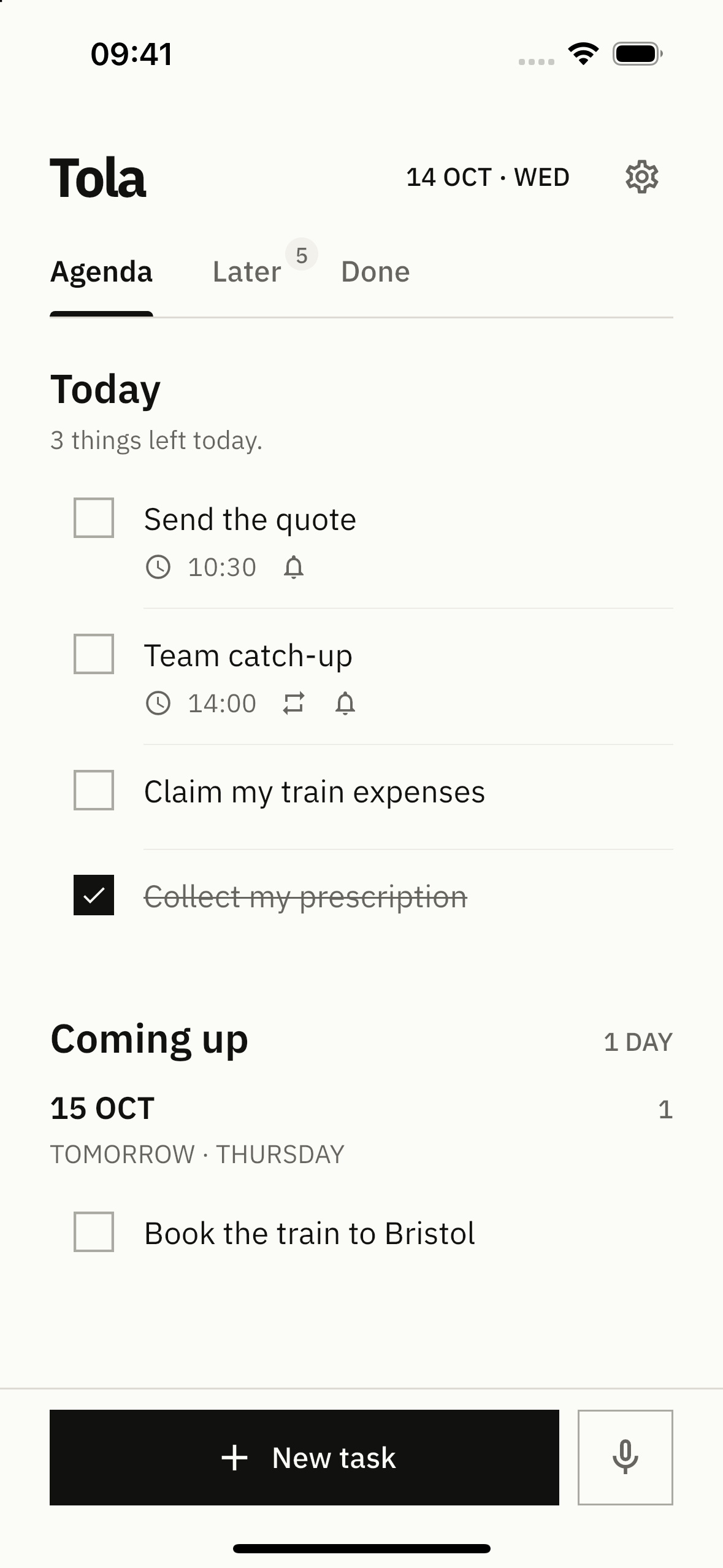
iPhone Duo · Next update preview
Tola adapts to iPhone Duo. Open it for Today and Coming up side by side. Close it for a focused list.
Duo support is coming in the next iOS update. These images show the actual app in Apple’s simulator.
VOICE INPUT
Speak a task, a date or a reminder. Watch your words appear, then check the details before saving.
Send the quote tomorrow at ten. Remind me ten minutes before.
Voice input needs an internet connection. Audio is processed online.
MADE FOR EVERYDAY USE
Tola keeps only what you need.
See today’s tasks and the days ahead at a glance.
Keep unscheduled ideas in Later.
Completed tasks stay in Done.
HOW IT WORKS
Add a date or reminder when needed. Otherwise, leave it in Later.
Focus on today. See what’s next.
THE USEFUL BITS
Switch between eight languages in Settings. Unsupported languages use English.
Complete overdue tasks or move them yourself.
Repeat by day, week, month, or your own schedule.
Set a time to be reminded. Everything else stays quiet.
Switch between light Paper and dark Ink.
YOUR DATA
Add, edit and complete tasks offline. Optional voice input processes audio online.
QUESTIONS
Tola is available now on the App Store for iOS and Google Play for Android.
No. Open the app and start.
Create, edit and complete tasks offline. Voice input requires an internet connection.
Not in the first version. There is no cross-device sync.
Tola is now available on iOS and Android.
AVAILABLE NOW ON iOS AND ANDROID